
Draft Dominator
FootballguysSports
4.0141.00 Reviews
- Version
- 2026.3
- Installs
- 10.00K
- Age Rating
- Everyone
Screenshots
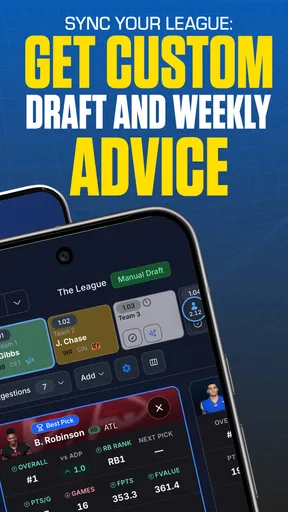
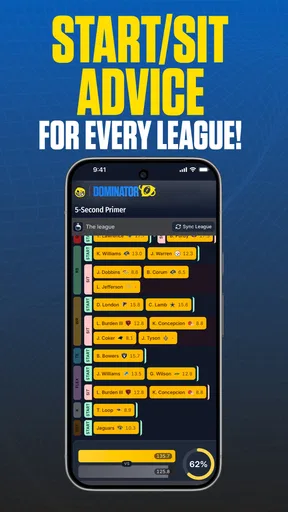
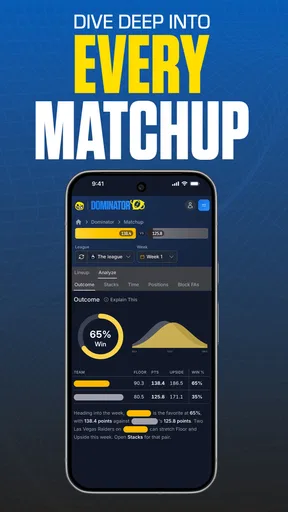
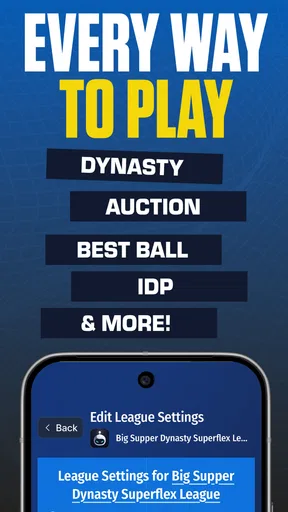
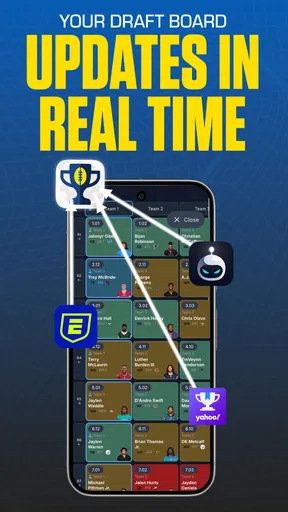
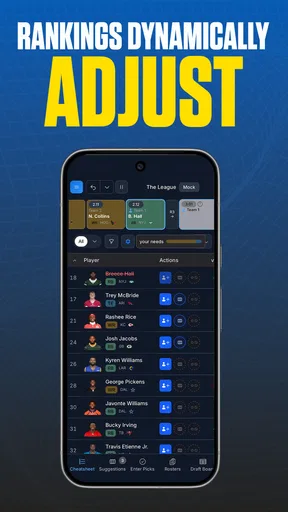
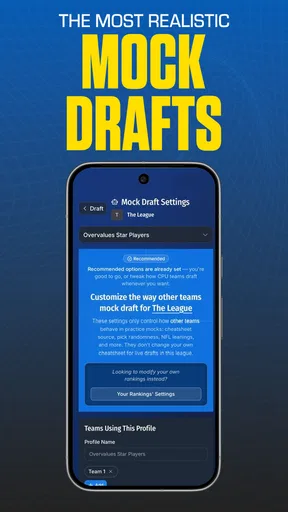
Our Review of Draft Dominator
 Analysis by Appyee
I approached Draft Dominator as a practical tool for fantasy football draft preparation rather than as another app to browse casually. It comes from Footballguys, sits in the Sports category, and is free to install, with optional purchases ranging from around thirteen dollars to nearly ninety dollars per item. Its central promise is simple: help me make better decisions during a live draft. In practice, its value depends heavily on how carefully I prepare the league settings before the first pick.
That distinction matters. This is not the kind of sports app I open for scores, breaking news, or a quick player biography. It is designed for a specific moment when the draft clock is moving and I need a clear recommendation that fits my league. When the setup is right, it can make a crowded draft room feel more manageable. When the setup is wrong, even a useful recommendation can look confusing or irrelevant.
Where the draft experience can get stuck
The first friction point is expectation. Someone downloading it because they want a general fantasy football companion may find the experience narrower than expected. The app’s focus is the draft itself, so its best use is planning, comparing available players, and reacting to picks. It is less suitable if what I really need is a full-season team manager, a news feed, or a simple scoreboard.
I also would not treat the first recommendation on screen as an automatic answer. Draft decisions depend on roster construction, scoring rules, positional requirements, and the players already selected. A player who looks attractive in isolation may be a poor choice if my roster is already overloaded at that position. The useful habit is to read the recommendation as a decision aid, then check how it fits the team I am building.
Another common sticking point is league-specific language. Fantasy football formats vary widely, and a draft tool has to interpret those differences. A standard scoring setup, a league that rewards receptions, and a format with unusual roster requirements can produce very different priorities. If the app appears to be favoring a player I would normally rank lower, the first question should be whether the league rules explain the difference.
There is also a human problem that no draft assistant completely removes: the pace of a live room. I may understand a recommendation but still lose time searching for a player, checking the roster, or second-guessing a choice while the clock runs. I found that the app works best when I use it before the draft to establish a plan, then use it during the draft to adjust that plan instead of trying to learn the whole interface under pressure.
What I check before trusting a recommendation
Before joining a live draft, I would confirm the league format in the app as carefully as I would check a travel route before leaving home. The important details are the scoring approach, roster structure, number of teams, and draft settings that influence player value. A small mismatch can have a larger effect than a late opinion about one player.
I would also make sure the player pool and draft context are current for the event I am preparing for. A draft assistant is only as useful as the information it is working from. If the available player list does not resemble the actual draft room, I would pause rather than force the tool to fit. This is one of the less obvious lessons with a specialized assistant: accuracy starts with context, not with the recommendation screen.
My preferred preparation routine is straightforward. I open the app well before the draft, review the league configuration, look through the player rankings or draft guidance, and note a few position combinations I would be comfortable with. I do not try to memorize a complete board. Instead, I identify the types of decisions that may cause trouble, such as whether to fill a scarce position early or wait while building depth elsewhere.
That approach also helps answer a question many new users have: do I need to pay before I can use it? The app is free to install, so I can start by seeing whether its draft approach suits me. Optional purchases are available, but I would not buy anything simply because the first screen feels unfamiliar. I would first test the free experience with my own league settings and decide whether the additional material or tools would change my decisions enough to justify the expense.
The age rating is Everyone, and the app is available for devices running Android 6.0 or later. Those details make it accessible to a broad range of Android users, although practical comfort still depends on the phone’s screen size and how easily I can switch between the draft room and the assistant. On a smaller display, I would prepare more before the event so that I am not trying to inspect every detail during a pick.
A setup routine that prevents avoidable confusion
I recommend treating setup as a short checklist rather than a one-time tap-through process. First, I identify the exact league rules. Next, I confirm the roster slots and scoring priorities. Then I check that the draft order and team count match the real league. Finally, I review the player pool and make sure I know how to move from a recommendation to the player I actually want.
This sequence has a practical advantage: it separates configuration problems from football disagreements. If the app’s output looks strange immediately after setup, I can revisit the rules before deciding that the rankings are poor. If the settings are correct and the advice still conflicts with my strategy, that becomes a legitimate judgment call rather than a technical mystery.
I would also avoid making too many changes immediately before the draft. Last-minute adjustments can create uncertainty about which settings are active. A calmer workflow is to configure the league early, close and reopen the app if something looks stale, and then review the main draft screen again. That is general troubleshooting, but it is especially valuable here because a small setup error can follow me through every later recommendation.
When the app behaves unexpectedly, I start with the basics: confirm the device meets the minimum operating-system requirement, check that the app is updated to the current version, and restart it before changing anything more drastic. The current Android version is 2026.3, so keeping the installation current is a sensible first step. I would also make sure the phone has a stable connection before a live draft, since interruptions are much more stressful once the clock is running.
Recovering a draft workflow when something goes wrong
If the screen stops reflecting the draft, I would resist repeatedly tapping buttons. First I would record the last pick I know was completed, then refresh or reopen the relevant draft view and compare the displayed roster with the actual room. This simple pause prevents a temporary display problem from turning into a mistaken selection.
When a recommendation appears inconsistent, I would inspect three things in order: my roster, the remaining player pool, and the league settings. A recommendation can change because a position has become more urgent, because several players were selected in the meantime, or because the app is applying a scoring rule I forgot about. Looking at those three areas usually gives me a more useful explanation than immediately blaming the software.
A second useful recovery technique is to maintain a small personal fallback plan. I keep a short list of acceptable alternatives for each stage of the draft, not as a replacement for the app but as insurance against a slow connection, a crowded screen, or an unexpected run at one position. The list should be flexible rather than a rigid ranking. My goal is to know what I can do next without freezing, even if I cannot inspect every recommendation.
This is also where I see the difference between a draft assistant and a fully automated service. Draft Dominator can support my thinking, but I still have to make the selection in the league’s draft room. If the two screens disagree, I verify the player, team, and roster slot before confirming. That extra check takes only a moment and is much safer than assuming that a highlighted option has already been added to my fantasy roster.
For users wondering whether the app replaces research, my answer is no. I would use it to organize draft decisions, not to eliminate judgment. The most effective workflow combines its guidance with a basic understanding of my league’s rules and a willingness to pass on a recommendation when it does not fit the roster I am building.
When the app is not the real cause
Not every disappointing result points to a software problem. Sometimes the league itself is unusually unpredictable. A friend may select a player far earlier than expected, several managers may target the same position, or the draft may use rules that make familiar rankings less useful. In those situations, a recommendation can be reasonable even when it does not match my personal preference.
Connection quality is another outside factor. If the app or draft room takes time to update, I would check whether other online services are also slow before changing league settings or reinstalling anything. Switching between multiple apps can also make a phone feel less responsive, particularly during a busy draft. Closing unnecessary apps and keeping the device charged are boring preparations, but they reduce the chance of confusing a device slowdown with a flaw in Draft Dominator.
My own behavior can create friction too. If I enter the draft without understanding the roster requirements, I may interpret every recommendation as a contradiction. If I keep changing my strategy after every pick, I may also lose the benefit of having a plan. The assistant is most helpful when I give it a stable framework and use its information to make controlled adjustments.
Compared with a printed cheat sheet, this app has the advantage of being more responsive to the developing draft. A sheet is easy to scan and does not depend on a device, but it cannot reflect my changing roster in the same way. Compared with a broad fantasy football platform, Draft Dominator feels more focused on the draft decision rather than the entire season. That focus is a strength for someone who wants draft help, but a limitation for anyone looking for one app to handle news, waivers, trades, lineups, and league communication.
I would also be cautious about using it as the only source for a highly customized league. The more unusual the scoring and roster rules, the more important it becomes to verify the configuration and apply personal judgment. A general ranking page may be quicker for a casual standard league, while this app becomes more worthwhile when I want structured support for a serious draft and am prepared to spend time setting it up correctly.
Who will get the most from it
The strongest match is a fantasy manager who wants help during draft preparation and prefers having a structured recommendation system nearby. It is especially useful for someone who understands the basics of fantasy football but does not want to build a complete draft strategy from scratch. I can use it to organize my thinking, compare alternatives, and reduce the stress of making a pick with limited time.
It can also suit an experienced manager who already has a strategy but wants a second opinion. In that role, the app is not the decision-maker. It is a way to challenge my assumptions, notice a position I have neglected, or identify a player who fits the league rules better than a familiar name.
I would skip it if I only want live scores or broad football news, because those needs are outside its main purpose. I would also skip it if I dislike preparing league settings or if I want an entirely hands-off draft. The app rewards attention during setup, and a person who wants a quick, universal answer may find that effort more frustrating than helpful.
For a realistic example, imagine I am drafting with friends after work. I have a limited time window, the room is moving quickly, and two managers have already selected several players at a position I planned to address later. I use the app to check how that change affects my remaining options, compare the recommendation with my current roster, and choose an alternative that keeps my next few rounds flexible. The benefit is not that the app predicts the whole draft. It helps me avoid making a rushed choice without considering the consequences.
My practical verdict after using it
Footballguys has built Draft Dominator for a clear purpose, and I think it serves that purpose best when I treat it as a preparation and decision-support tool. It is free to install, carries an average rating of about four stars from over six hundred ratings, and has passed ten thousand installs. Those figures suggest a modest but established audience rather than a universal fantasy platform, which fits my experience of its focused design.
The app has been available since August 2022, and its current version is 2026.3. I would keep it updated and test the setup before draft night, especially if I have not used it recently. The most important practical lesson is to verify the league context before judging the advice. Many apparent problems are really mismatched settings, stale draft information, or a recommendation being read without considering the roster.
I like that the free entry point lets me evaluate the workflow before committing to optional purchases. At the same time, the in-app purchase range means I would look closely at what an upgrade changes for my particular league instead of assuming that paying automatically improves every draft. A casual manager may be satisfied with a simpler ranking page, while a committed drafter may find the extra investment worthwhile if the app becomes part of a repeatable preparation routine.
My final recommendation is conditional but positive: try it if your main goal is to make smarter fantasy football draft decisions, and give yourself time to configure it before the live event. Do not expect it to manage the entire fantasy season or remove the need for judgment. If you use it as a calm second set of eyes, keep a fallback plan, and check the league settings whenever something looks strange, Draft Dominator can turn draft-day pressure into a more organized decision process.
Verdict
Strengths of Draft Dominator
- Simple interface makes draft planning quick to understand.
- Useful for organizing player rankings before a fantasy draft.
- Helps compare options without switching between multiple apps.
- Fast access to saved draft information during live selections.
- Can make preparation more structured for casual fantasy players.
Limitations of Draft Dominator
- May feel too basic for users wanting advanced draft analytics.
- Player data may require updates to stay accurate throughout the season.
- Limited value if your fantasy league uses uncommon scoring rules.
- Small screens can make long rankings harder to scan comfortably.
- Some features may depend on the selected sport or league format.
Other Releases by Footballguys
View All
League Dominator
Sports4.1
Similar Picks in This Category
View All
BeSoccer: Soccer Live Score
BeSoccer apps4.3

Cricbuzz - Live Cricket Scores
Cricbuzz.com3.7

NFL
NFL Enterprises LLC2.4

Da Fit
MO YOUNG LIMITED3.6

ESPN
Disney4.5

LiveScore: Live Sports Scores
LiveScore Limited4.5
Frequently Asked Questions
What is Draft Dominator and who is it designed for?
Draft Dominator is a fantasy sports draft preparation and management tool designed to help users make more informed selections before and during a fantasy draft. It is generally aimed at players who want rankings, projections, player comparisons, and draft guidance in one place. The app is most useful for users who already understand the basic rules of their fantasy league and want additional research rather than a completely automated experience.
Which fantasy sports and league formats does Draft Dominator support?
Support can depend on the specific version, season, and platform, so users should check the app listing and current documentation before downloading. Draft Dominator has traditionally been associated with fantasy football draft preparation, but available tools may vary by sport, scoring system, roster configuration, and league provider. Confirm that your league format, draft type, and preferred platform are supported before relying on it for draft day.
Does Draft Dominator work with my fantasy league account or league host?
Draft Dominator may offer league setup, import, synchronization, or configuration options depending on the supported fantasy service and version of the app. In some cases, you may need to enter league settings manually instead of signing in directly. Before using the application, review its permissions and supported providers, and make sure your scoring rules, roster positions, draft order, and team settings are accurately configured.
Can Draft Dominator be used during a live fantasy draft?
The app is intended to be useful both for preparation and for making decisions during a live draft, with features such as player rankings, projections, recommendations, and roster tracking potentially helping you compare available players. However, it should be treated as a decision-support tool rather than an automatic drafting system. Player news, injuries, league tendencies, and changing draft values still require your own judgment.
Is Draft Dominator free to download, and are there any limitations?
The cost and available features may differ between Android, iOS, and individual app releases. Some versions may be free, while advanced rankings, projections, updates, synchronization, or premium draft tools could require payment or a subscription. Check the current store listing for pricing, in-app purchases, update policies, and supported devices before downloading. Also verify whether an internet connection is needed for live data or account-related functions.
